
Private beta · Built for independent contractors
From first request
to final invoice.
Kernel is a work operating system for people who juggle many clients. It turns email, Slack, and meeting requests into suggestions you approve, keeps every client's work on one board, plans it around your calendar, hands tasks to your AI agents, and bills from the time you actually record.
Work comes in
Requests arrive from everywhere.
Kernel reads the places work already lands and turns it into suggestions you review. Nothing becomes a task until you say so.


 Search all work⌘K
 Task suggestion74%Scope the Q4 analytics add-onDiscard ×RejectReady ▾
 Task suggestion58%Update the launch deckDiscard ×RejectReady ▾
Plan the work
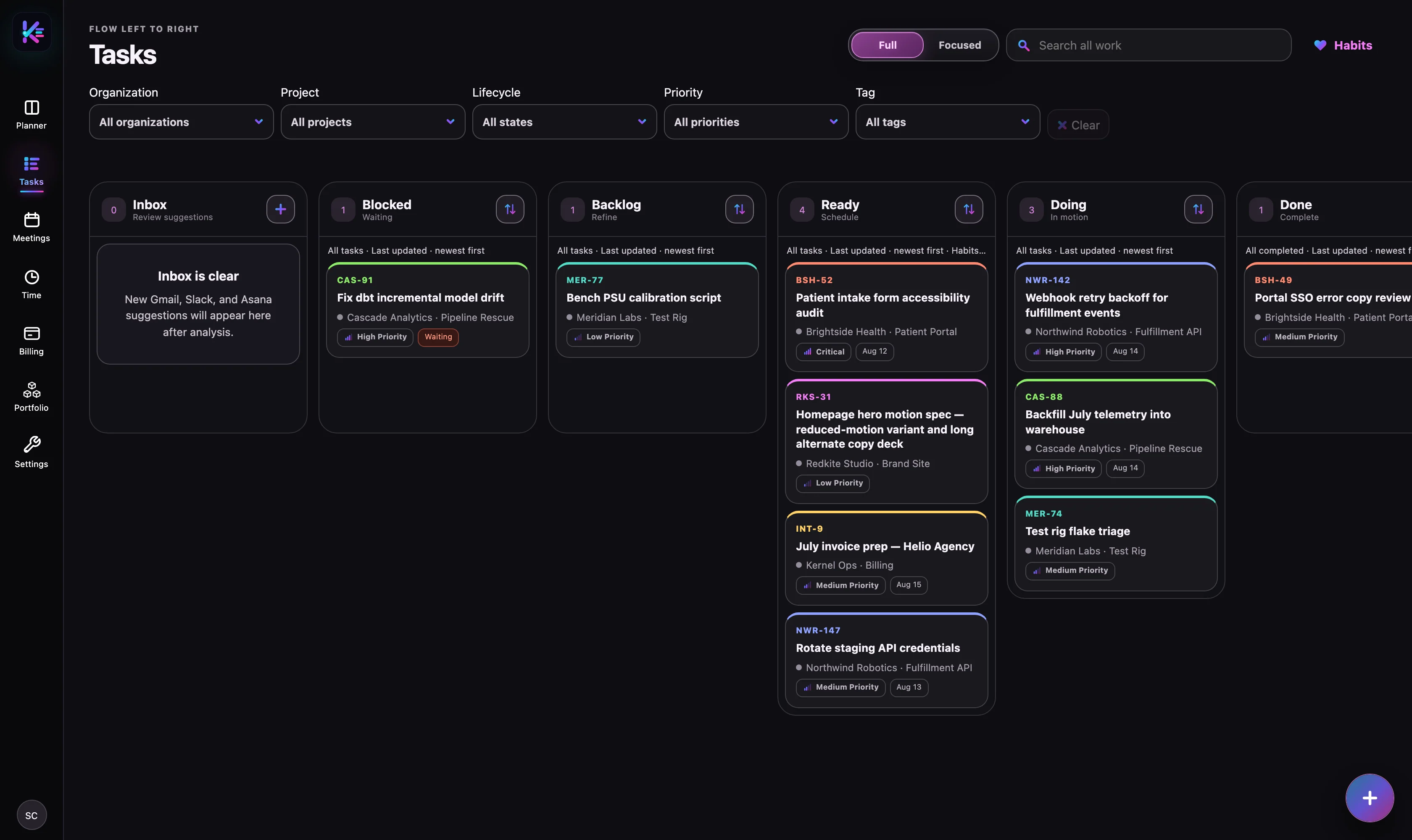
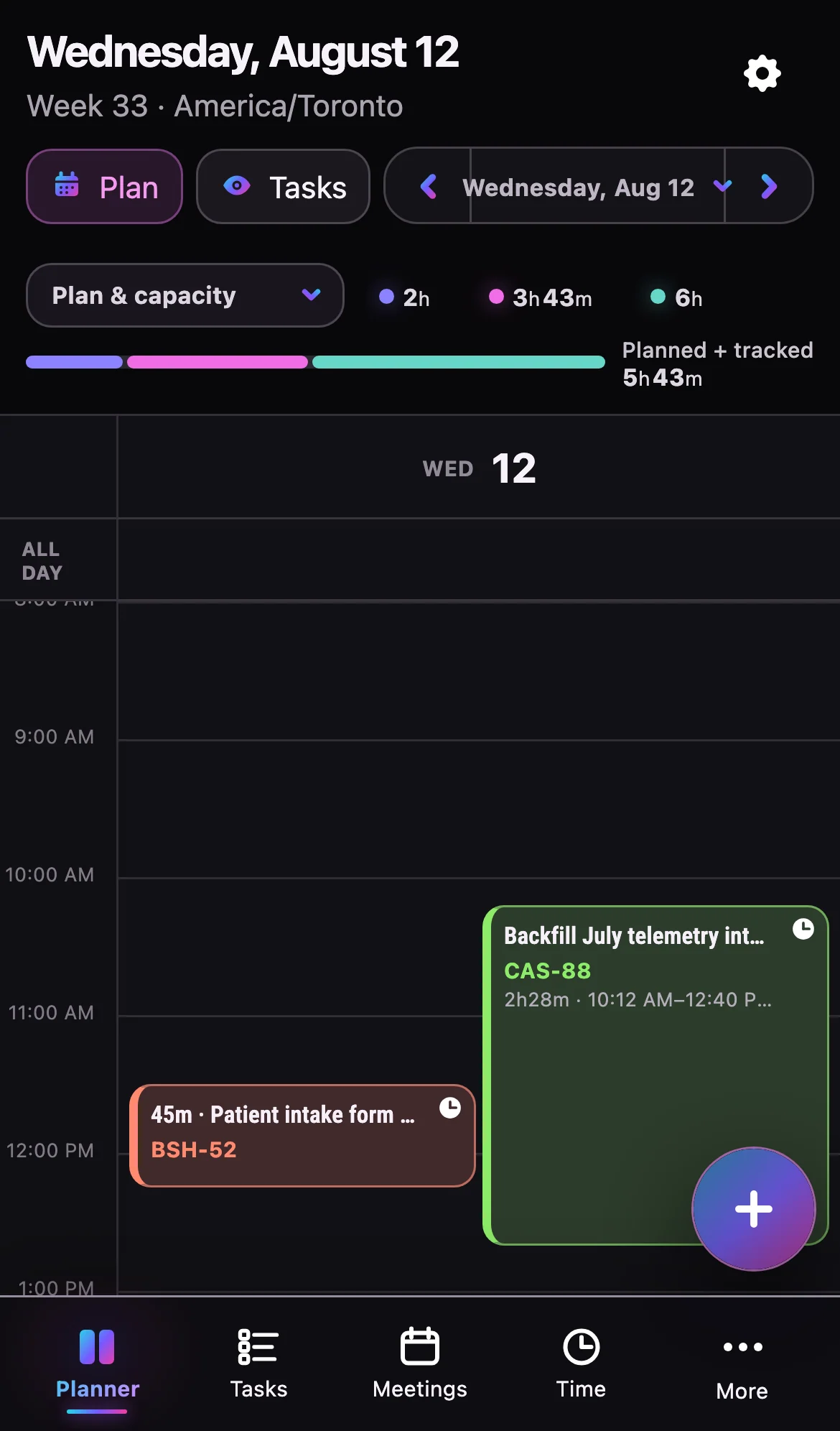
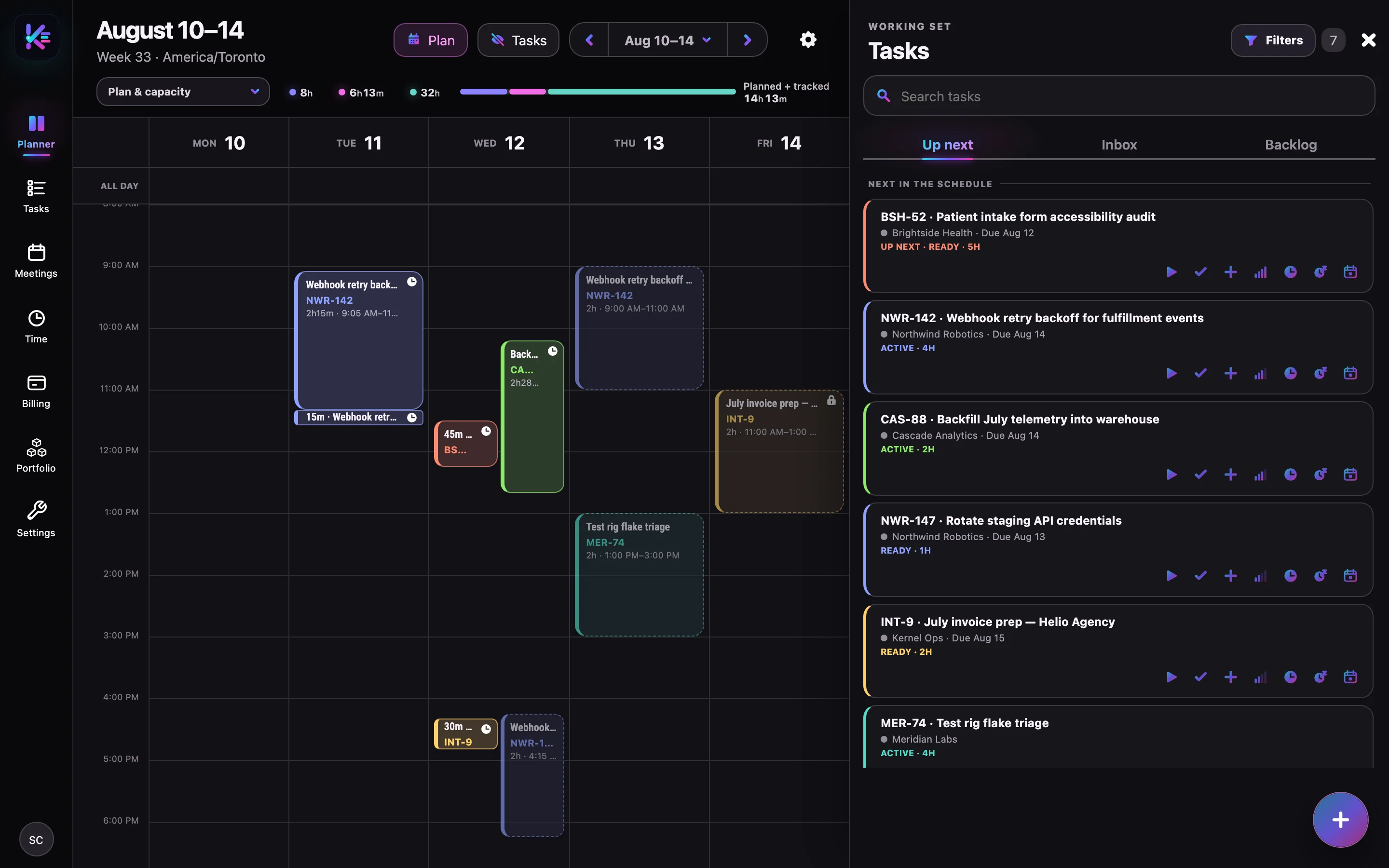
A plan that respects your calendar.
One board for every client, timeboxes placed around your meetings, and routines that schedule themselves.


Track the time
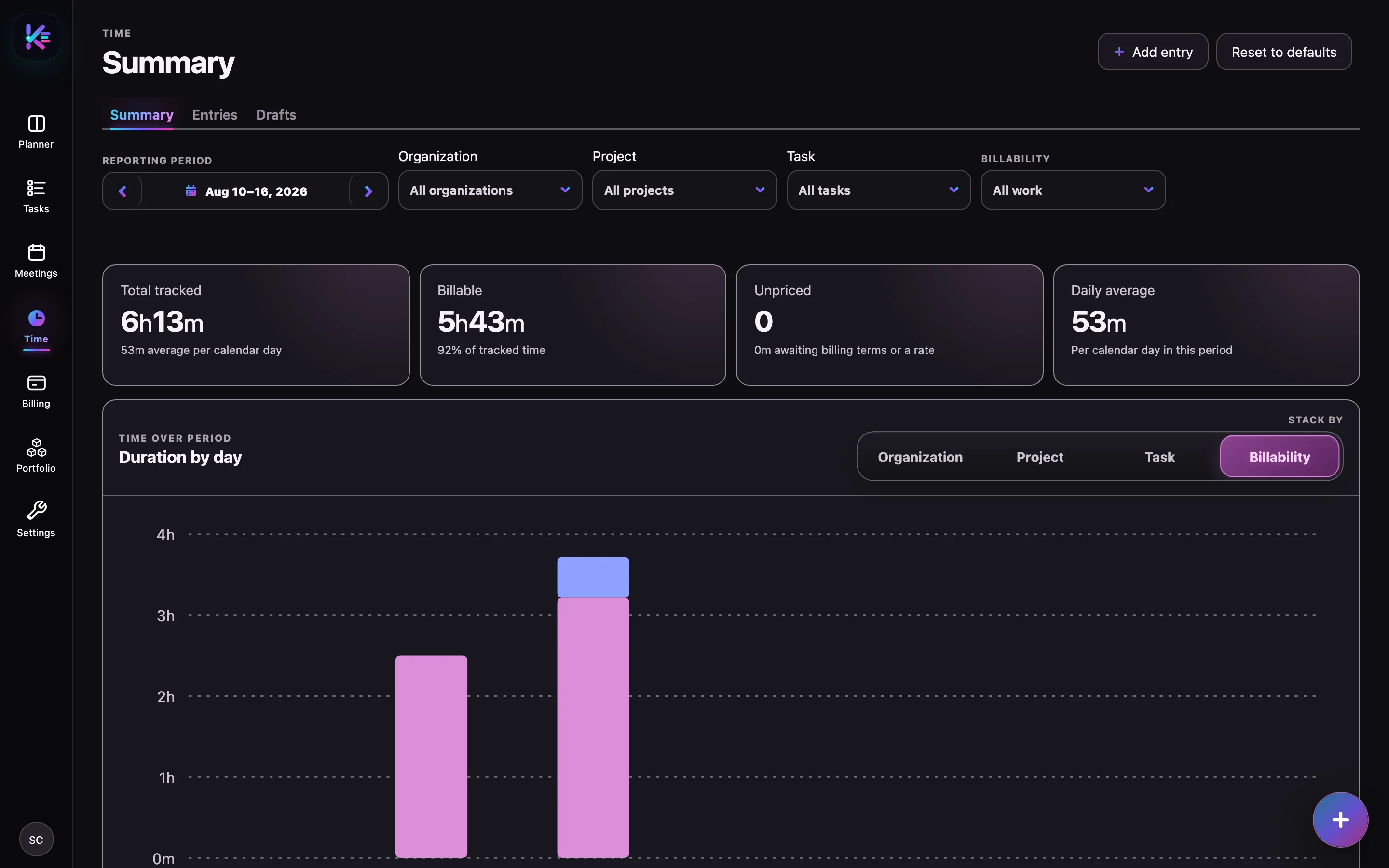
Hours you can stand behind.
Every start is a timebox. Entries carry their client, project, and billability, and drafts wait for your review.


Bill and report
Bill from what actually happened.
Rates, invoices, and client-facing reports are built from the same recorded work, never retyped.


Agents
Built for the agents you already run.
Coding agents and AI assistants get the same work records as the web app, through a documented API and a small command-line companion. Credentials and provider connections stay behind your signed-in session.
- Scoped keys. API keys are workspace-scoped, expiring, rate-limited, and shown once. Choose read-only or full work access.
- Contract first. An OpenAPI 3.1 document, an LLM-oriented Markdown guide, and a downloadable Kernel skill ship with every deployment.
- Hand-offs from a task. Pair your Mac with
krnl, then send a task to Codex or T3 Code and follow the thread from Kernel.


# pair this Mac with your workspace
$ pnpm add -g @supercorks/krnl
$ krnl login
$ krnl connect t3code

# read the same tasks the planner shows
$ curl https://app.krnl.work/api/v1/tasks \
    -H "Authorization: Bearer $KERNEL_API_KEY"

# contract, guide, and skill
$ open https://app.krnl.work/developers/apiAcross the app
The foundations under everything.
Clients and projects, one search for every record, and an app that works on your phone.
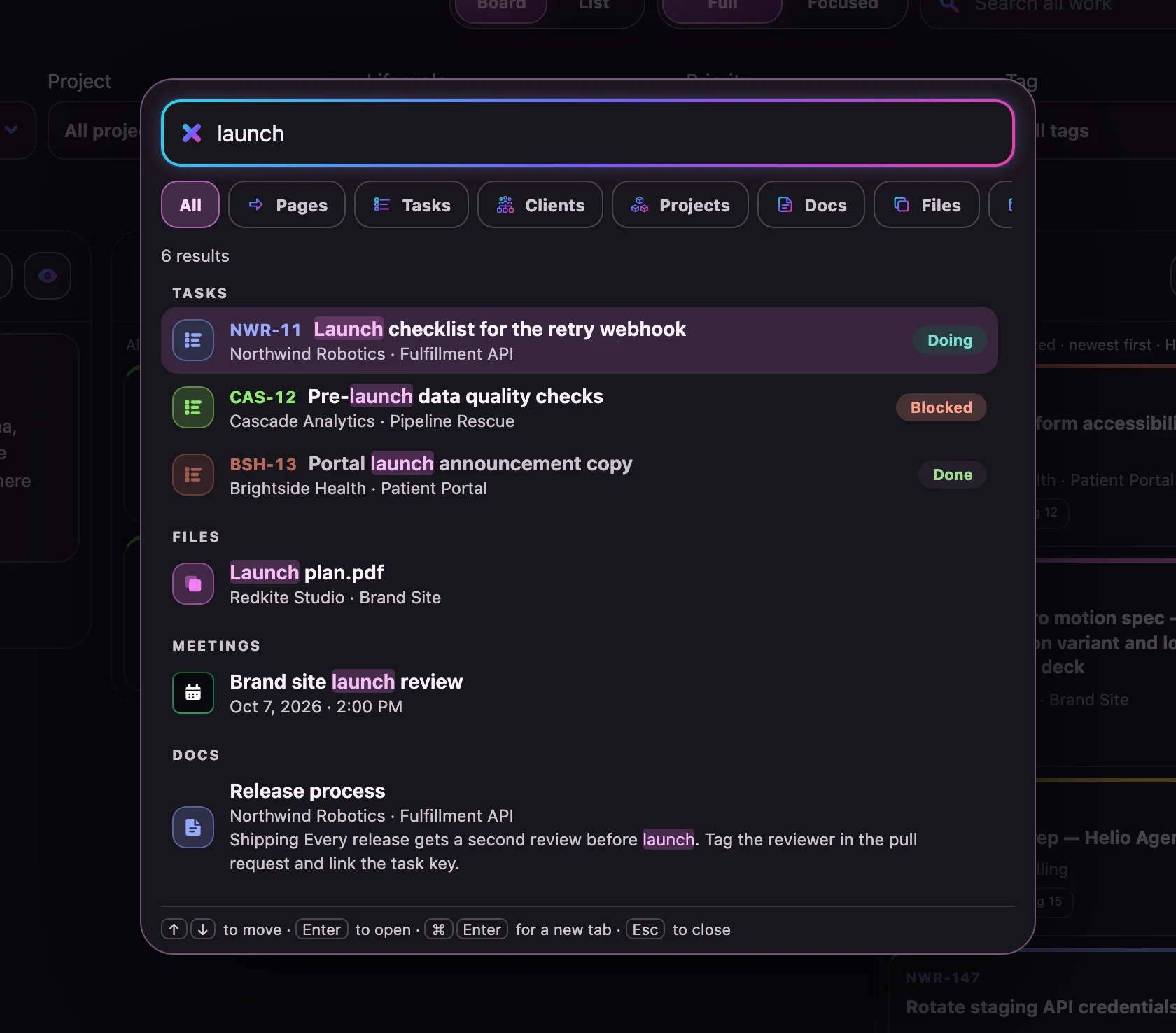
Press ⌘K, or Ctrl+K on Windows and Linux, in any of Kernel's main views to search tasks, clients, projects, documents, files, meetings, invoices, habits, and time notes.


Integrations
Connected to where work arrives and where it is reported.
Every connection is optional and separately authorized. Reading and writing are distinct permissions, and you can disconnect at any time.

Your data
Useful context. Deliberate choices.
Google sign-in identifies you and nothing more. Calendar, Gmail, and Slack access are separate authorizations you grant on purpose, and each private workspace stays separate from everyone else’s.
How Kernel handles your dataGoogle Calendar
See availability and manage events on calendars you authorize.
Gmail
Read connected email for reviewable suggestions, and send a reply only when you press Send.
Slack
Read the conversations you include, and post a reply only when you press Send.
Google sign-in uses basic identity details. It does not, by itself, grant Kernel access to your inbox or calendar. Disconnecting and deleting imported data are separate controls.
Questions
Before you ask.
Can I use Kernel today?
Not yet. Kernel is a private beta under active development, and there is no public sign-up. This site describes the product and publishes its policies while the beta is being built.
Who is Kernel for?
Independent contractors and solo consultants who work across many client organizations and bill for their time. Kernel is a personal workspace; shared team workspaces are not part of this beta.
Does Google sign-in read my Gmail?
No. Signing in uses basic Google identity details through Clerk. Calendar and Gmail connections are separate, optional authorizations. The privacy policy explains the difference.
Do AI suggestions take action for me?
Inbox suggestions are drafts for you to review. You decide whether to accept them as tasks or calendar events. When these optional features are enabled, relevant content and context are processed by external AI services, as described in the privacy policy.
Can I disconnect or remove imported data?
Yes. Disconnecting and deleting imported data are separate actions. Disconnect first to stop future intake, then remove imported data where the feature is available. Accepted work and some history can remain. Read the full deletion instructions.
Are the screenshots and demos real?
The screenshots are captured from a real Kernel build running with representative sample data. The animated demos recreate the same screens with the same kind of data. The client names, tasks, and hours are fictional, and none of it comes from a real account.
Private beta
Built one week at a time.
Kernel is being built by one person who runs a contracting practice on it every day. When the beta opens, this page will say so.